
Comparing mouse pad sizes and price in Pakistan on a desk setup

Mouse Pad Buying Guide: Size, Material, and Price in Pakistan

Mouse pad price in Pakistan ranges from around PKR 600 for a standard A4Tech-sized pad (25x20cm) to PKR 1,500-2,500 for extended or XXL gaming pads, and up to PKR 14,500 for premium branded options like SteelSeries. Most home and office users only need the standard size — bigger isn’t automatically better.

Why People Overthink This Purchase

A mouse pad feels like a simple buy, until you open a marketplace listing and see five sizes, three materials, and prices ranging from PKR 600 to PKR 14,500 for what looks like the same flat rectangle. I get asked about this more than you’d expect, usually from someone who just wants to know which one to actually click “order” on.

The honest answer is that size and material matter less than people assume, but they’re not meaningless either. Let’s break down what actually changes between tiers.

Standard Mouse Pads: PKR 600–800

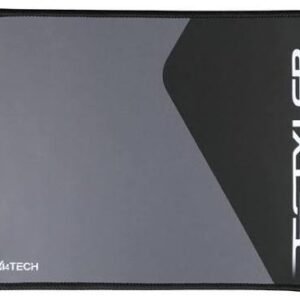
This is the size most people already picture — something like the A4Tech FP20, at roughly 25x20cm with a non-slip rubber base and stitched edges. You can see the full spec sheet on the A4Tech Pakistan mouse pad collection page.

For everyday browsing, document work, and office use, this size covers everything you need. Because it’s compact, it also fits comfortably on tight desks or shared study tables without crowding your keyboard.

What You Lose at This Size

The obvious trade-off is space. If you move your mouse in wide, sweeping motions — common in design work or certain games — a standard pad can feel restrictive, and your mouse may slide off the edge mid-motion.

Extended and XXL Mouse Pads: PKR 1,500–3,500

Once you move into extended sizes, often listed around 800x300mm, you’re paying for desk coverage rather than better tracking. These pads typically stretch under both your mouse and keyboard, creating one unified surface.

I’d recommend this tier specifically for gamers who need fast, wide mouse movements, and for anyone who simply dislikes the feel of a hard desk surface under their keyboard. It’s a comfort upgrade as much as a functional one.

Is the Extra Cost Worth It?

Honestly, it depends entirely on your mouse movement style. If you’re doing precise, small movements — typical office work, browsing, light editing — you won’t notice much difference from a standard pad. However, competitive gamers and digital artists who sweep the mouse across large distances genuinely benefit from the extra room.

Premium Branded Pads: PKR 8,000 and Above

At the top end, brands like SteelSeries and Corsair charge PKR 8,000 to PKR 14,500 for pads with specialized surface coatings optimized for specific sensor types, often paired with RGB lighting on the cloth or stitched edge.

I’ll say this plainly: for the vast majority of buyers in Pakistan, this tier isn’t worth it. You’re paying for marginal tracking consistency that only matters at a competitive esports level. Unless you’re already using a high-end gaming mouse with a sensor sensitive enough to notice the difference, a mid-tier extended pad performs nearly as well for a fraction of the price.

Material Actually Matters More Than Size

Here’s something most buying guides skip entirely: the base material affects durability more than the surface dimensions do. A non-slip rubber base, like the one on the A4Tech FP20, keeps the pad firmly planted during fast movements. Cheaper pads with a thin foam base tend to curl at the edges within a few months.

Stitched edges matter too. An unstitched pad frays and peels after repeated use, especially in Pakistan’s hotter months when desk surfaces can get slightly tacky with heat. If you’re comparing two pads at a similar price, always pick the one with reinforced, stitched edges.

My Honest Take: Size Is Overrated, Edges Aren’t

If I had to steer a first-time buyer toward one thing, it wouldn’t be size — it would be edge quality and base grip. A lot of people chase a bigger pad assuming it’ll feel more “premium,” then end up with a cheap, unstitched XXL pad that curls within weeks. A smaller, well-made standard pad like the FP20 will outlast a larger, poorly made one every time.

Frequently Asked Questions

What is the average mouse pad price in Pakistan for a standard size? A standard A4Tech-style mouse pad typically costs between PKR 600 and PKR 800, depending on the retailer.

Do I need an extended mouse pad for gaming? Only if you make wide mouse movements, which is common in competitive or first-person shooter games. For casual gaming, a standard pad is usually sufficient.

Does mouse pad material affect cursor accuracy? Yes, slightly. A smooth-glide cloth or hard surface improves tracking consistency, while a worn or curled pad can cause inconsistent cursor movement.

How long does a mouse pad typically last? A well-made pad with stitched edges and a non-slip base can last 2-3 years or more under daily use. Cheaper, unstitched pads often fray within a few months.

Is a premium gaming mouse pad worth the price in Pakistan? For most everyday and even casual gaming use, no. Premium pads mainly benefit competitive gamers using high-sensitivity sensors who can notice marginal tracking differences.

Can I order a mouse pad with cash on delivery in Gujranwala? Yes, COD is standard across Pakistani retailers, and ordering from a Gujranwala-based store typically means faster delivery than shipments from Lahore or Karachi.


Not sure which size fits your desk setup? Message us on WhatsApp
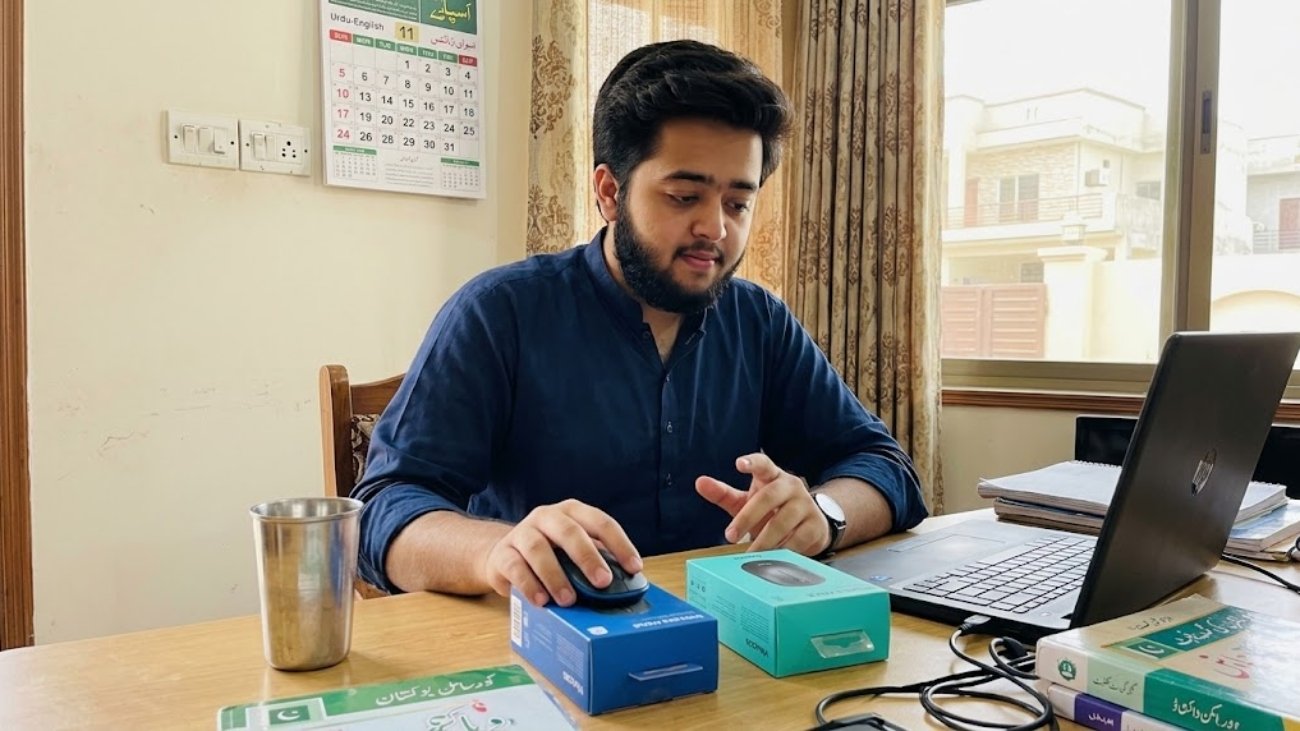
Comparing A4Tech wireless mouse price in Pakistan models side by side

A4Tech Wireless Mouse Price in Pakistan — Full Buying Guide (2026)

A4Tech wireless mouse price in Pakistan currently ranges from around PKR 900 for entry-level G3-series models to PKR 2,100 for mid-range Fstyler models like the FG10S, as of late 2026. Entry models suit basic browsing and office work, while mid-range options add silent clicks, adjustable DPI, and longer battery life.

Why A4Tech Dominates the Budget Wireless Mouse Market Here

A4Tech isn’t the flashiest brand on the shelf, but it’s the one you’ll actually find in stock almost everywhere in Pakistan — from Hafeez Center in Lahore to smaller local computer shops. That matters more than people think, because a budget mouse is only a good deal if you can get it serviced or replaced without hassle.

I’ve compared several A4Tech wireless mouse models for techbits.online, and the lineup breaks cleanly into three price tiers. Knowing which tier fits your actual use case saves you from overpaying for features you won’t use.

Entry Tier: A4Tech G3-Series (Roughly PKR 900–1,500)

The G3-270N and G3-400N sit at the bottom of A4Tech’s wireless range, and honestly, they’re where most casual buyers should start. Both use a 2.4GHz nano receiver, run on a single AA battery for up to 12 months, and come with A4Tech’s V-Track optical sensor that tracks reliably even on fabric surfaces.

Because these models skip extras like silent clicks or adjustable DPI, the price stays low. For a student doing coursework or someone who just needs a reliable browsing mouse, this tier does the job without any real compromise.

What You Give Up at This Price

The main trade-off is DPI flexibility. These models run a fixed 1000 DPI, which is fine for everyday use but not ideal if you want faster cursor speed for design work or gaming. If that doesn’t matter to you, don’t pay more for it.

Mid Tier: A4Tech Fstyler FG10S (Around PKR 1,950–2,100)

This is where things get genuinely useful. The FG10S adds silent-click technology — a real difference if you work or study somewhere quiet — plus adjustable DPI across 1000/1600/2000 settings. You can check the full spec sheet on the A4Tech Pakistan Fstyler Collection page if you want exact numbers.

For roughly PKR 500-600 more than the entry tier, you’re getting a noticeably more comfortable ergonomic shape too. If you spend several hours a day at a desk, that difference adds up.

Who Should Pay the Extra PKR 500

I’d recommend the FG10S specifically for office workers in shared spaces, late-night students who don’t want clicking sounds disturbing anyone, and anyone who’s used a cheap mouse before and felt the DPI was either too slow or too twitchy.

Is There a Premium A4Tech Wireless Tier?

Not really, not in the way Logitech or Razer structure their lineups. A4Tech’s strategy in Pakistan is clearly budget-first — even their higher-end Bloody gaming sub-brand targets a different buyer entirely, with RGB lighting and gaming-specific sensors at a different price point altogether.

That’s actually a point in A4Tech’s favor if you’re comparing A4Tech wireless mouse price in Pakistan against international brands. You’re not paying for a logo; you’re paying for the specific features in front of you.

My Honest Take: Don’t Default to the Cheapest Option

Here’s where I’ll be direct. A lot of buyers grab the absolute cheapest wireless mouse they see, assuming all budget mice are roughly equal. They’re not. The jump from an unbranded no-name mouse to even A4Tech’s entry G3 series is significant — you’re getting an actual warranty and a sensor that won’t drift after a few weeks.

If your budget allows the extra few hundred rupees to reach the FG10S tier, I’d generally suggest it. The silent clicks alone make daily use noticeably better, and the price gap is small relative to how long a decent mouse should last.

A Quick Buying Checklist Before You Order

  • Confirm you need wireless at all — a wired mouse saves money if you never move from one desk
  • Decide if silent clicks matter for your environment (shared office, late-night study, quiet household)
  • Check if fixed 1000 DPI is enough, or if you want adjustable DPI for gaming or design work
  • Always buy from a seller who lists the exact model number, not just “A4Tech wireless mouse”

Frequently Asked Questions

What is the cheapest A4Tech wireless mouse price in Pakistan right now? Entry-level models like the G3-270N typically start around PKR 900-1,000, depending on the retailer and current stock.

Is the A4Tech FG10S worth the extra cost over entry-level models? Yes, if silent clicks and adjustable DPI matter to you. For basic browsing and office work, the entry-tier G3 series is sufficient and cheaper.

How long does an A4Tech wireless mouse battery last? Most models run up to 12 months on a single AA battery under normal daily use, though heavy gaming use will drain it faster.

Do A4Tech wireless mice work on both Windows and Mac? Yes, A4Tech’s 2.4GHz wireless mice are plug-and-play compatible with Windows, Mac, and most Linux systems through the nano USB receiver.

Is A4Tech a reliable brand for a first-time budget mouse buyer? Yes. A4Tech is one of the most widely distributed accessory brands in Pakistan, which means genuine local warranty support is easier to access than with lesser-known imports.

Can I order an A4Tech wireless mouse with cash on delivery in Gujranwala? Yes, COD is standard, and ordering from a Gujranwala-based store typically means faster delivery than waiting on shipments from Lahore or Karachi.


Not sure which A4Tech model fits your budget? Message us on WhatsApp

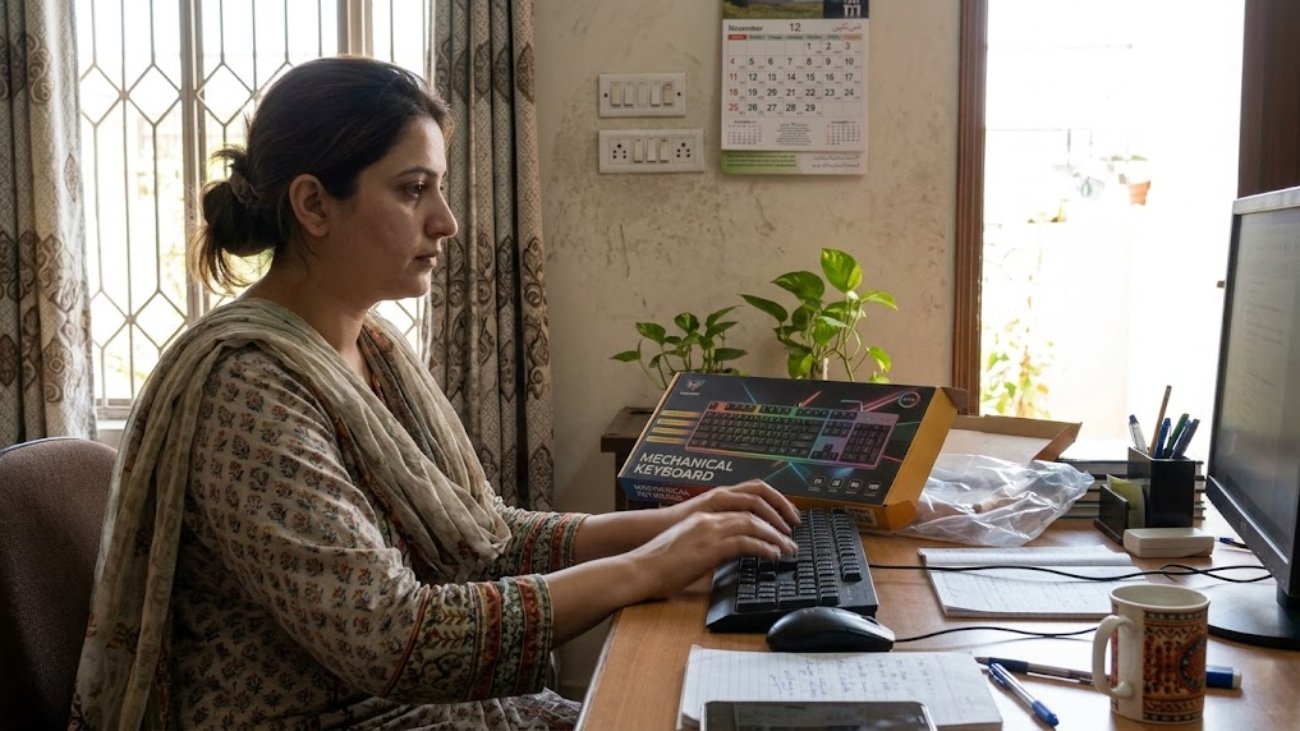
Comparing a wired vs wireless keyboard setup in Pakistan

Wired vs Wireless Keyboard: Which One Should You Buy in Pakistan?

For most buyers, a wired keyboard in Pakistan is the better choice if you use one device at a single desk and want to save money — prices start around PKR 1,700. A wireless keyboard makes more sense if you switch between devices often or want a cleaner desk, typically costing PKR 2,500 to PKR 4,000 depending on the model.

Why This Decision Matters More Than You’d Think

I get asked this question constantly by people setting up a home office or replacing an old keyboard. The honest answer is that neither option is universally “better.” It depends entirely on how you actually work, not on which one sounds more modern.

A wired vs wireless keyboard decision in Pakistan usually comes down to three things: budget, how many devices you use, and whether battery maintenance annoys you or not.

What You Actually Pay for Each Option

Here’s where real pricing helps cut through the marketing noise. A4Tech’s wired keyboards, like the KR-85 and KRS-83, run between PKR 1,700 and PKR 2,300 in Pakistan right now. These are genuinely reliable for everyday typing, with FN multimedia keys and spill-resistant designs.

Wireless models jump noticeably in price. The A4Tech FBK25, for example, sits closer to PKR 3,999 because it adds Bluetooth and 2.4GHz dual connectivity, letting you pair with up to four devices. You can check the full lineup on the official A4Tech Pakistan keyboard collection if you want to compare models directly.

The Price Gap Isn’t Just About the Cable

That price difference isn’t just paying for the missing cable. Wireless keyboards pack in a receiver chip, battery management, and often a slimmer build — all of which cost more to manufacture. So when someone tells me wireless is “overpriced,” I explain that you’re paying for the engineering, not just convenience.

When a Wired Keyboard Makes More Sense

If you work from one fixed desk and never move your setup, a wired keyboard is genuinely the smarter buy. There’s no battery to replace, no pairing lag, and no risk of a cheap Bluetooth chip dropping connection mid-sentence during an important document.

For students in Gujranwala typing assignments late at night, this matters more than people realize — a wired keyboard never dies on you halfway through a paragraph because a battery ran out.

When a Wireless Keyboard Is Worth the Extra Cost

However, if you regularly switch between a laptop, tablet, and phone, a wireless keyboard like the A4Tech FBK25 genuinely earns its higher price. Being able to jump between four paired devices with one key press saves real time if you’re on calls, managing a second screen, or working across multiple gadgets throughout the day.

It’s also simply more comfortable for a clean desk setup. For example, content creators and photo editors I’ve seen shopping in Gujranwala often prefer wireless specifically to cut down on cable clutter around their monitor and tablet.

My Honest Take: Don’t Buy Wireless Just to Seem Modern

Here’s where I’ll push back on a common assumption. A lot of buyers default to wireless because it feels like the “upgrade,” even when their actual use case is a single desk and one laptop. In that case, you’re paying PKR 1,500-2,000 extra for a feature you’ll never use.

My rule of thumb: if you can’t name a specific reason you need wireless — multiple devices, a shared desk, wanting zero cables — buy wired and put the savings toward something else, like a decent mouse pad or a laptop stand.

Battery Maintenance Is the Hidden Cost of Wireless

One thing most comparisons skip: wireless keyboards need battery changes, usually every 6-12 months depending on use. That’s a small recurring cost and a small recurring annoyance that a wired keyboard simply doesn’t have. If you’re someone who forgets to replace batteries, factor that into your decision now, not after your keyboard dies mid-task.

Frequently Asked Questions

Is a wireless keyboard worth the extra price in Pakistan? Only if you actually need multi-device switching or a cable-free desk. If you use one device at a fixed desk, a wired keyboard does the same job for PKR 1,500-2,000 less.

Do wired keyboards feel different to type on than wireless ones? Not significantly. Key feel depends more on the specific model’s switches and keycap design than on whether it’s wired or wireless.

How long does a wireless keyboard battery last? Most budget wireless keyboards in Pakistan run 6-12 months on a single AA battery, depending on daily usage.

Can a wired keyboard work on any laptop or PC? Yes, as long as it has a USB port. Wired keyboards are universally plug-and-play with no pairing required.

Which option is better for gaming? Wired keyboards are generally preferred for gaming because they have zero input lag, while wireless keyboards can have a tiny delay depending on the connection quality.

Is it cheaper to buy a wired keyboard in Gujranwala than ordering from Lahore-based stores? Pricing is usually similar nationally, but ordering from a Gujranwala-based store typically means faster delivery and easier COD handling than waiting on shipments from Lahore or Karachi.


Still deciding between the two? Message us on WhatsApp with how you actually use your setup, and we’ll recommend the right keyboard

Man plugging in a 65W universal laptop charger in Gujranwala

Best 65W Universal Laptop Charger in Gujranwala (2026)

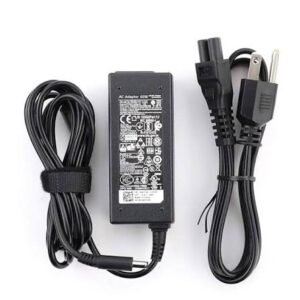
The best 65W laptop charger in Gujranwala is one that matches your laptop’s exact voltage, amperage, and pin size — not just the wattage number. Genuine replacement chargers for HP, Dell, and Acer laptops typically cost between PKR 1,500 and PKR 2,000 in Pakistan right now, and buying the correct pin size matters more than the brand name on the box.

Why 65W Is the Most Common Charger Size You’ll Need

Most mid-range laptops sold in Pakistan — HP Pavilion, Dell Inspiron, Acer Aspire — run on a 65W charger. That’s because 65W covers the power draw of everyday laptops without a dedicated graphics card. If your laptop is a gaming model, you’ll likely need more, but for standard use, 65W is the sweet spot.

I’ve noticed a lot of buyers in Gujranwala assume any 65W charger will work on any laptop. It won’t. Two chargers can both say “65W” on the label and still be completely incompatible, because the pin size and voltage differ by brand.

How to Pick the Right 65W Laptop Charger in Gujranwala

Before you order a 65W laptop charger in Gujranwala, check three things on your old charger or your laptop’s bottom label:

  • Voltage — usually 19V or 19.5V for most brands
  • Amperage — look for something close to 3.33A or 3.42A for a 65W rating
  • Pin size — this is where most buyers get it wrong

For example, Dell commonly uses a 7.4×5.0mm pin, while Acer tends to use a smaller 5.5×1.7mm pin. HP varies by model, so checking your laptop directly is safer than guessing from memory.

What Happens If You Buy the Wrong One

A charger with the wrong voltage can undercharge your laptop, or worse, stress the battery over time. However, a charger with a slightly higher amperage rating than your original is generally safe — laptops only draw what they need. The real risk is voltage mismatch, not amperage.

What a 65W Charger Actually Costs in Gujranwala Right Now

Based on current Pakistan retailer pricing, a 65W replacement charger for HP, Dell, or Acer laptops runs around PKR 1,500 to PKR 2,000 as of late 2026. That’s for a properly rated, pin-matched unit — not a generic no-name adapter with no printed specifications.

Unbranded chargers sold without a clear voltage/amperage label are usually the cheapest option you’ll find, but they’re also the ones most likely to fail within a few months or, worse, damage your battery slowly without you noticing right away.

My Honest Take: Don’t Chase the Lowest Price Here

If I’m being direct about this, a charger is one accessory where I wouldn’t go for the absolute cheapest option on the shelf. It’s the one component plugged into your laptop’s battery circuit every single day. A properly rated 65W charger, even at PKR 200-300 more than the bottom-tier option, is worth it simply because battery damage costs far more to fix later.

That said, you don’t need to pay premium prices either. A mid-range, clearly labeled 65W charger covers 90% of everyday laptops without any real compromise.

Ordering a 65W Laptop Charger in Gujranwala

Once you know your laptop’s exact pin size and voltage, ordering is straightforward. We stock 65W chargers for the most common HP, Dell, and Acer pin configurations, and deliver across Gujranwala with cash on delivery available — so you can check the pin fits before you pay.

Frequently Asked Questions

Will any 65W charger work with my laptop? No. Wattage alone doesn’t guarantee compatibility. You also need to match the voltage and the physical pin size, which varies by brand and sometimes by model.

Is it safe to use a charger with higher wattage than my laptop needs? Generally yes. Laptops only draw the power they need, so a 90W charger will safely charge a laptop rated for 65W. The reverse — using a charger rated below your laptop’s requirement — is what causes slow charging or no charging at all.

How do I find my laptop’s exact charger specifications? Check the sticker on the bottom of your laptop, or look at the label on your original charger. It lists voltage (V) and amperage (A) directly.

How long should a 65W laptop charger last? A genuine, properly rated charger typically lasts 2-3 years or more under normal daily use. If yours is failing within months, it’s often a sign of a mismatched or low-quality unit.

Can I get a 65W laptop charger delivered same-day in Gujranwala? Delivery timing depends on stock and order time, but as a Gujranwala-based store, we typically deliver within the city faster than retailers shipping from Lahore or Karachi.

What’s the price difference between a generic and a branded replacement charger? Generic unbranded chargers can be PKR 300-500 cheaper, but they often lack printed specifications and carry no real warranty — a risk that outweighs the small savings for most buyers.


Know your laptop’s pin size and voltage? Message us on WhatsApp