
 Cart is empty
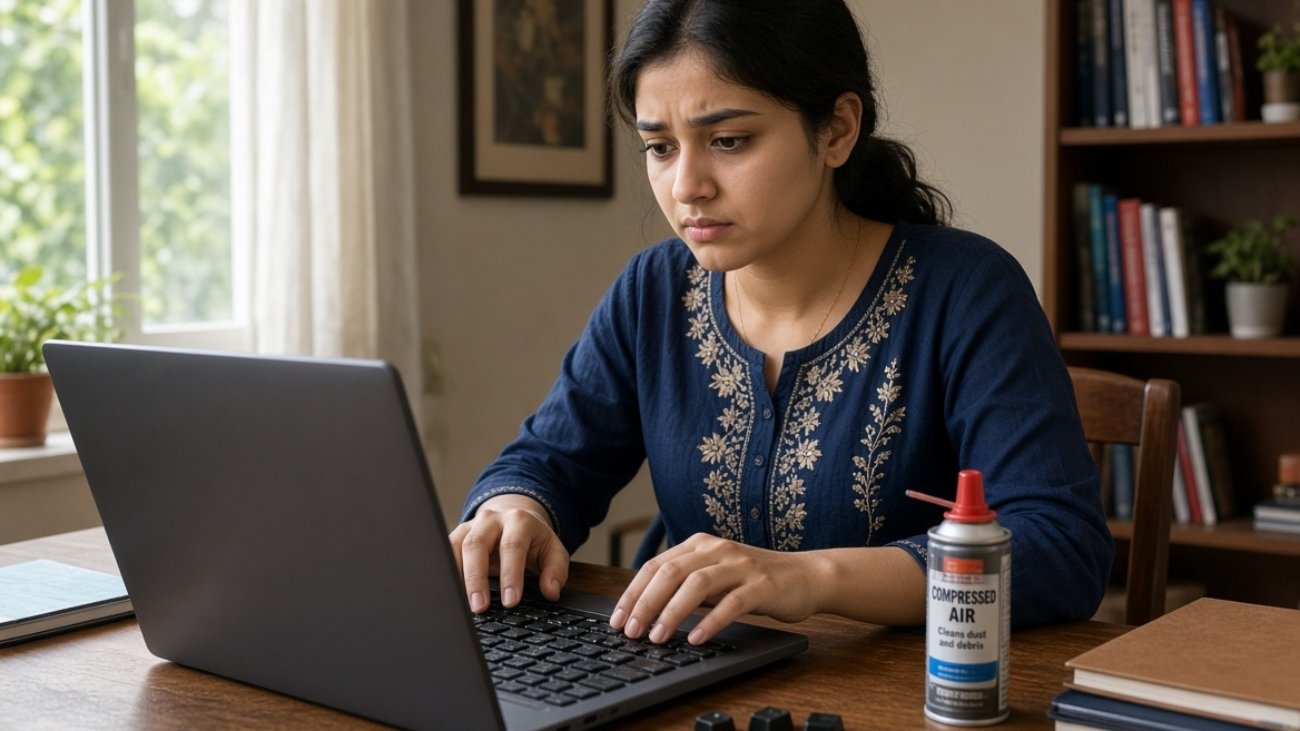
If your keyboard keys are not working, start with the free checks: clean under the keys, plug in an external keyboard to test, reinstall the keyboard driver, and check language and accessibility settings. Wrong letters are usually a layout or setting problem. Dead keys usually need cleaning or a repair, which costs about PKR 300-1,000 per key.
First: Wrong Letters or Dead Keys?
Open Notepad and press the problem keys.
- Wrong letters, swapped symbols, or numbers instead of letters: go to Part 1. This is almost always software.
- Nothing happens, or the key works only sometimes: go to Part 2. This is a hardware or debris problem.
Part 1: Keyboard Typing Wrong Letters
Check 1: Is the Layout or Language Wrong?
Lenovo’s support page says swapped keys can come from the wrong language setting. For example, if Windows uses a UK layout, the ” and @ keys swap places.
To test, press Windows + R, type OSK, and press Enter. Compare the on-screen keyboard with your real one. If they differ, go to Settings > Time & Language, add your language, and set it as the default.
Check 2: Is Num Lock or Fn Lock Active?
On many compact laptops, there is no separate number pad. Turning on Num Lock can make some letter keys type numbers. Press Num Lock or Fn + Num Lock and test again.
Check 3: Are Sticky Keys or Filter Keys On?
Lenovo lists these accessibility features as a cause too. In Control Panel, open Ease of Access > Change how your keyboard works. Clear the Sticky Keys and Filter Keys boxes, then test.
Check 4: Reinstall the Keyboard Driver
Open Device Manager and expand Keyboards. Right-click your keyboard and choose Update driver, or uninstall it and restart. Windows reinstalls it automatically.
Part 2: Keys Not Working at All
Check 5: Clean Under the Keys
Dell recommends cleaning with a soft, lint-free microfiber cloth and compressed air. Look for stuck, loose or damaged keys. Dust, crumbs and hair are common culprits.
Switch the laptop off first. Tilt it and blow short bursts of air under the keys.
Check 6: The External Keyboard Test
This is the most useful check. Plug in a USB keyboard, or use a Bluetooth one.
- The external keyboard works fine: the problem is limited to the laptop keyboard. You can still use the laptop while you decide what to do.
- The external keyboard also fails: the problem is software or the USB port, not the keyboard itself.
Check 7: Update Windows, Drivers and Run Diagnostics
Dell suggests installing Windows updates, then updating drivers and BIOS through SupportAssist and running its keyboard test. Other brands have similar built-in diagnostics. Check the manufacturer’s support tool.
Check 8: Did You Spill Something?
This one matters on desks where chai, water or juice sits beside the laptop. If liquid reached the keyboard, switch off immediately. Don’t turn it on to test.
A Pakistani repair vendor, NN Laptops, warns that powering on a spill-damaged laptop can turn a keyboard job into a much larger motherboard repair. Have it inspected within 24 hours.
What Repair Costs in Pakistan
These figures come from one Pakistani repair vendor’s published list. They are not verified prices, so treat them as a guide and ask for a quote.
| Problem | Typical cost (PKR) |
|---|---|
| Cleaning (sticky keys, dust, no corrosion) | 1,000-2,000 |
| Single key replacement | 300-1,000 |
| Ribbon cable only | 1,500-3,000 |
| Full keyboard, common business or home laptops | 3,000-5,500 |
| Full keyboard, backlit or gaming | 4,500-8,000 |
Replace the whole keyboard when four or more keys fail, a whole row or column is dead, the backlight fails, or liquid has corroded several keys.
Is It Worth Repairing?
The same vendor suggests keyboard replacement is usually economical on a laptop worth more than about PKR 25,000. If the laptop is over six years old and has other faults, like a dead battery or cracked screen, the combined bill can approach the cost of a decent used laptop.
The Cheaper Option Most People Overlook
If you use your laptop mostly at a desk, an external keyboard may beat repair. A basic wired membrane keyboard costs about PKR 1,400-2,300 (EaseTec EK100, A4Tech KK3, HP 150). A full laptop keyboard replacement starts around PKR 3,000.
You also get a better typing position. For the trade-offs between types, see our guides on wired vs wireless keyboards and mechanical vs membrane keyboards.
The catch: an external keyboard doesn’t help if you type on the go. For that, repair the laptop.
Which Fix Should You Try?
- Wrong letters or symbols → Checks 1 to 4. Costs nothing.
- A few sticky keys, no spill → Clean it, about PKR 1,000-2,000 if a shop does it.
- One broken key → Single key replacement, PKR 300-1,000.
- Four or more dead keys, or a dead row → Full keyboard, PKR 3,000-5,500, if the laptop is worth it.
- Liquid spill → Power off, don’t test, get it inspected today.
- Laptop mostly stays on a desk → An external keyboard at PKR 1,400-2,300.
My Honest Take
Check software first. It’s free, and it explains most “wrong letter” complaints. For dead keys, always do the external keyboard test before paying for a repair. It tells you in two minutes whether the keyboard is really the problem.
If the laptop is old and mostly lives on a desk, I’d buy an external keyboard and stop worrying.
Frequently Asked Questions
Why is my keyboard typing the wrong letters? Usually the language or layout is wrong, Num Lock or Fn Lock is on, or Sticky Keys or Filter Keys are enabled. Check these before suspecting hardware.
Why are some keyboard keys not working? Common causes are dust or debris under the keys, a driver problem, or hardware damage. An external keyboard test shows which one it is.
How do I test if my laptop keyboard is broken? Plug in an external keyboard. If it works, the problem is the laptop keyboard. If it also fails, it’s software or the USB port.
How much does it cost to replace a laptop keyboard in Pakistan? One Pakistani repair vendor lists about PKR 3,000-5,500 for common models and PKR 300-1,000 for a single key. Quotes vary, so ask first.
What should I do if I spill tea or water on my keyboard? Switch the laptop off immediately and don’t turn it on to test. Have it inspected within 24 hours to avoid motherboard damage.
Is it better to buy an external keyboard than repair my laptop? If the laptop stays on a desk, often yes. A basic wired keyboard costs about PKR 1,400-2,300, which is less than a full replacement.
Not sure what’s wrong? Send us your laptop model and a short description on WhatsApp, and we’ll tell you whether it’s a setting or a keyboard issue.